
Retro Game Console Shell: Build & Play Your Own Games
Code Pong, Snake, and Breakout on an OLED screen inside a 3D-printed Game Boy shell. The ultimate beginner project.
What you need
From the Starter Pack: ESP32, breadboard, wires, USB-C cable, buttons, buzzer.
From this kit: 0.96” SSD1306 OLED, 4x tactile buttons, 3D-printed Game Boy shell.
Step 1: Wire the OLED
Same as the Dex Scanner:
   OLED Display (0.96" SSD1306)
   ┌─────────────────────────┐
   │  ┌─────────────────┐    │
   │  │    OLED SCREEN  │    │
   │  │    128 x 64 px  │    │
   │  └─────────────────┘    │
   │  VCC GND SDA SCL        │
   └──┬───┬───┬───┬──────────┘
      │   │   │   │
      │   │   │   └──── GPIO 22
      │   │   └──────── GPIO 21
      │   └──────────── GND
      └──────────────── 3.3V
Step 2: Wire the buttons
   D-pad Layout:              A/B Buttons:
   ┌───────────┐              ┌───────────┐
   │     ▲     │              │           │
   │   LEFT  RIGHT            │    (A)    │
   │     ▼     │              │    (B)    │
   └───────────┘              └───────────┘

   Pin mapping:
   ┌────────────┬────────────┬────────────┐
   │ Button     │ ESP32 Pin  │ Breadboard │
   ├────────────┼────────────┼────────────┤
   │ D-pad Up   │ GPIO 14    │ row 30     │
   │ D-pad Down │ GPIO 27    │ row 33     │
   │ D-pad Left │ GPIO 26    │ row 36     │
   │ D-pad Right│ GPIO 25    │ row 39     │
   │ Button A   │ GPIO 33    │ row 42     │
   │ Button B   │ GPIO 32    │ row 45     │
   │ All GND    │ GND        │ - rail     │
   └────────────┴────────────┴────────────┘

   Breadboard layout:
   ┌─────────────────────────────────────────┐
   │  + + + + + + + + + + + + + + + + + + +  │
   │  - - - - - - - - - - - - - - - - - - -  │
   │  · · · · · · · · · · · · · · · · · · ·  │
   │  · · · · · · · · · · · · · · · · · · ·  │
   │  · · · · · · · · · · · · · · · · · · ·  │
   │  · · · · · · · · · · · · · · · · · · ·  │
   │  · · · · · · · · · · · · · · · · · · ·  │
   │  · · · [UP][DN][LT][RT] · · · · · · ·  │ ← D-pad
   │  · · · · · · · · · · · · · · · · · · ·  │
   │  · · · · · · · · · · · · [A][B] · · ·  │ ← A/B
   │  · · · · · · · · · · · · · · · · · · ·  │
   │  · · · · · · · · · · · · · · · · · · ·  │
   │  + + + + + + + + + + + + + + + + + + +  │
   │  - - - - - - - - - - - - - - - - - - -  │
   └─────────────────────────────────────────┘
Step 3: Install the display library
Install Adafruit SSD1306 and Adafruit GFX Library (same as Dex Scanner).
Step 4: Pong — the simplest game
#include <Wire.h>
#include <Adafruit_GFX.h>
#include <Adafruit_SSD1306.h>

#define SCREEN_W 128
#define SCREEN_H 64
Adafruit_SSD1306 display(SCREEN_W, SCREEN_H, &Wire, -1);

int paddleY = 24;
int ballX = 64, ballY = 32;
int ballDX = 2, ballDY = 1;
int score = 0;

void setup() {
  display.begin(SSD1306_SWITCHCAPVCC, 0x3C);
  pinMode(14, INPUT_PULLUP);  // up
  pinMode(27, INPUT_PULLUP);  // down
}

void loop() {
  // Move paddle
  if (digitalRead(14) == LOW && paddleY > 0) paddleY -= 3;
  if (digitalRead(27) == LOW && paddleY < 52) paddleY += 3;

  // Move ball
  ballX += ballDX;
  ballY += ballDY;

  // Bounce off top/bottom
  if (ballY <= 0 || ballY >= 62) ballDY = -ballDY;

  // Bounce off paddle
  if (ballX <= 8 && ballY >= paddleY && ballY <= paddleY + 12) {
    ballDX = -ballDX;
    score++;
  }

  // Reset if missed
  if (ballX <= 0) {
    ballX = 64; ballY = 32;
    score = 0;
  }

  // Bounce off right wall
  if (ballX >= 126) ballDX = -ballDX;

  // Draw
  display.clearDisplay();
  display.fillRect(2, paddleY, 3, 12, SSD1306_WHITE);  // paddle
  display.fillCircle(ballX, ballY, 2, SSD1306_WHITE);   // ball
  display.setCursor(100, 0);
  display.print(score);
  display.display();
  delay(16);  // ~60fps
}
Result: Move the paddle with up/down, bounce the ball, rack up points.
   OLED Screen — Pong:
   ┌─────────────────────────────────────────┐
   │  SCORE: 42                              │
   │                                         │
   │  █                              ●       │
   │  █                              ●       │
   │  █                              ●       │
   │  █                              ●       │
   │  █                              ●       │
   │                                         │
   └─────────────────────────────────────────┘
   ↑ paddle                    ball → ●
Step 5: Snake — growing and eating
int snakeX[100], snakeY[100];
int snakeLen = 3;
int foodX, foodY;
int dir = 0;  // 0=right, 1=down, 2=left, 3=up

void spawnFood() {
  foodX = random(0, 32) * 4;
  foodY = random(0, 16) * 4;
}

void setup() {
  // ... display setup ...
  for (int i = 0; i < snakeLen; i++) {
    snakeX[i] = 32 - i * 4;
    snakeY[i] = 32;
  }
  spawnFood();
}

void loop() {
  // Read direction
  if (digitalRead(14) == LOW) dir = 3;  // up
  if (digitalRead(27) == LOW) dir = 1;  // down
  if (digitalRead(26) == LOW) dir = 2;  // left
  if (digitalRead(25) == LOW) dir = 0;  // right

  // Move body (follow the head)
  for (int i = snakeLen - 1; i > 0; i--) {
    snakeX[i] = snakeX[i-1];
    snakeY[i] = snakeY[i-1];
  }

  // Move head
  if (dir == 0) snakeX[0] += 4;
  if (dir == 1) snakeY[0] += 4;
  if (dir == 2) snakeX[0] -= 4;
  if (dir == 3) snakeY[0] -= 4;

  // Eat food
  if (snakeX[0] == foodX && snakeY[0] == foodY) {
    snakeLen++;
    spawnFood();
  }

  // Draw
  display.clearDisplay();
  for (int i = 0; i < snakeLen; i++) {
    display.fillRect(snakeX[i], snakeY[i], 3, 3, SSD1306_WHITE);
  }
  display.fillRect(foodX, foodY, 3, 3, SSD1306_WHITE);
  display.display();
  delay(100);
}
OLED Screen — Snake:
┌─────────────────────────────────────────┐
│ │
│ ■ ■ ■ ■ → │
│ ■ │
│ ■ │
│ ■ │
│ │
│ ■ (food) │
│ │
└─────────────────────────────────────────┘
↑ snake head moves with D-pad
↑ food appears randomlyStep 6: Add sound
Wire the buzzer from your Starter Pack and add:
tone(5, 440, 50);   // paddle hit
tone(5, 880, 50);   // eat food
tone(5, 220, 200);  // game over
Step 7: Assemble the Game Boy
   Game Boy Shell Assembly:
   ┌─────────────────────────────────────────┐
   │  ┌─────────────────────────────────┐    │
   │  │         GAME BOY SHELL          │    │
   │  │  ┌─────────────────────────┐    │    │
   │  │  │      OLED SCREEN        │    │    │
   │  │  │      (visible)          │    │    │
   │  │  └─────────────────────────┘    │    │
   │  │                                 │    │
   │  │     [D-pad]      [A] [B]       │    │
   │  │                                 │    │
   │  │     [SELECT]  [START]          │    │
   │  │                                 │    │
   │  │     ┌───────────────┐          │    │
   │  │     │   SPEAKER     │          │    │
   │  │     └───────────────┘          │    │
   │  └───────────────┬─────────────────┘    │
   │                  │ USB-C                │
   │                  ↓                      │
   │            to computer                  │
└─────────────────────────────────────────┘- Fit the OLED into the screen window
- Place the buttons in the D-pad and A/B positions
- Wire everything to the ESP32
- Close the shell and screw it together
- Power via USB-C on top
Customise it
- Add a menu screen to choose between games
- Save high scores to ESP32 flash
- Make the games harder as you progress
- Add a “game over” animation
What’s next?
Combine with the Pokéball Signal Tower to build a Game Boy Color — add LED backlighting to the retro console.
$ ./shop-this-guide
Built, tested and ready to go on this site.
 Made to order
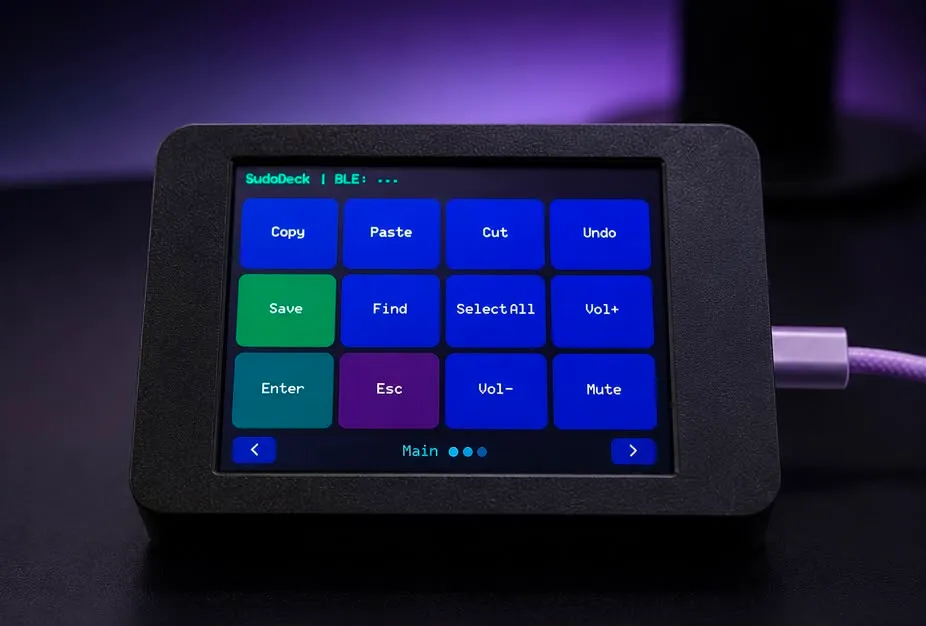
SudoDeck
Wireless macro keyboard — open source Stream Deck
 Made to order
SudoOS Handheld — Vertical
Hand-built vertical console with SudoOS — free games card included
 Made to order
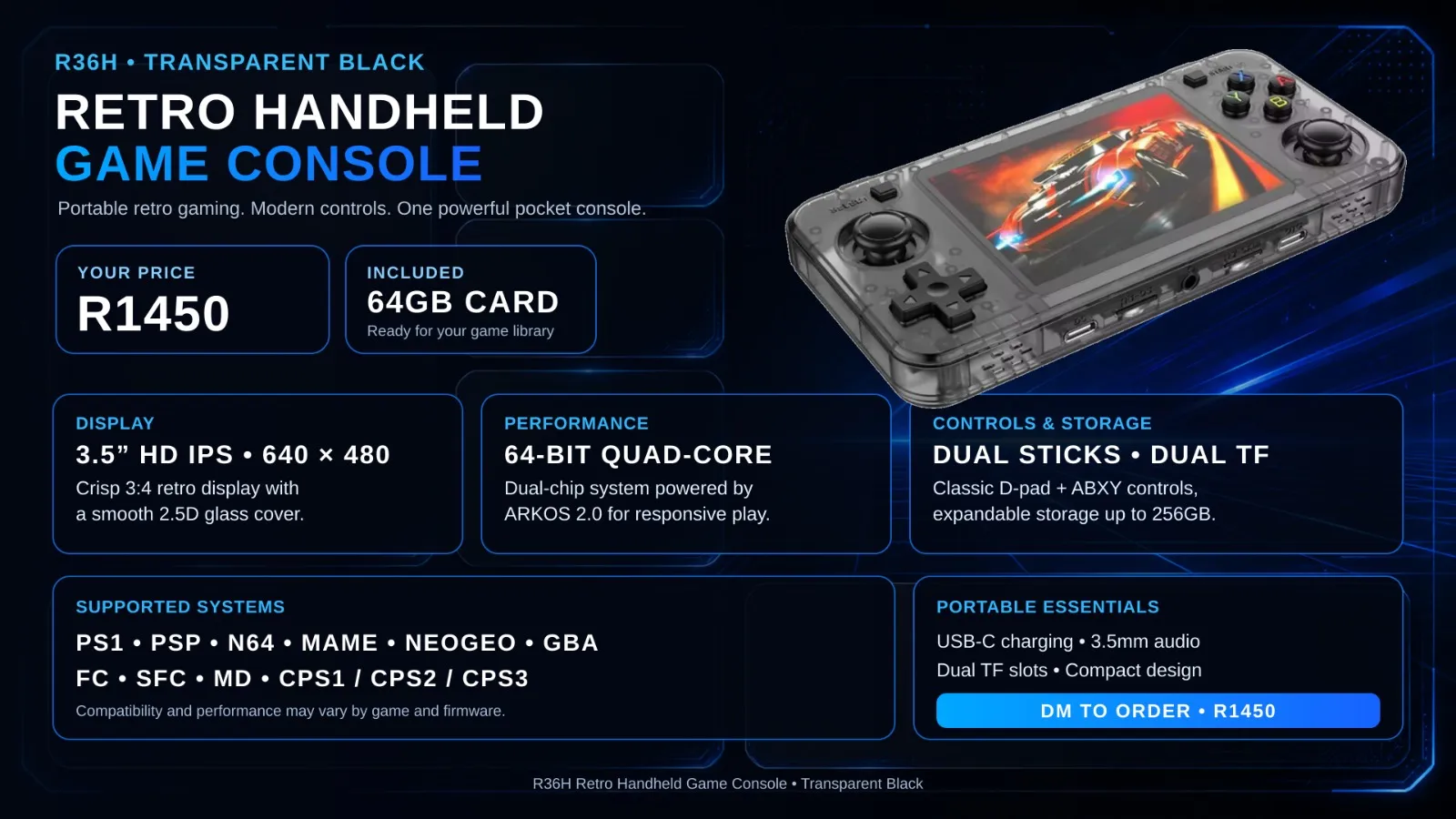
SudoOS Handheld — Horizontal
Hand-built horizontal console with SudoOS — free games card included